





 English
  Francês
  Alemão
  Italiano
  Japonês
  Norueguês
  Portuguese
  Spanish
 3 min of reading
  0 comments


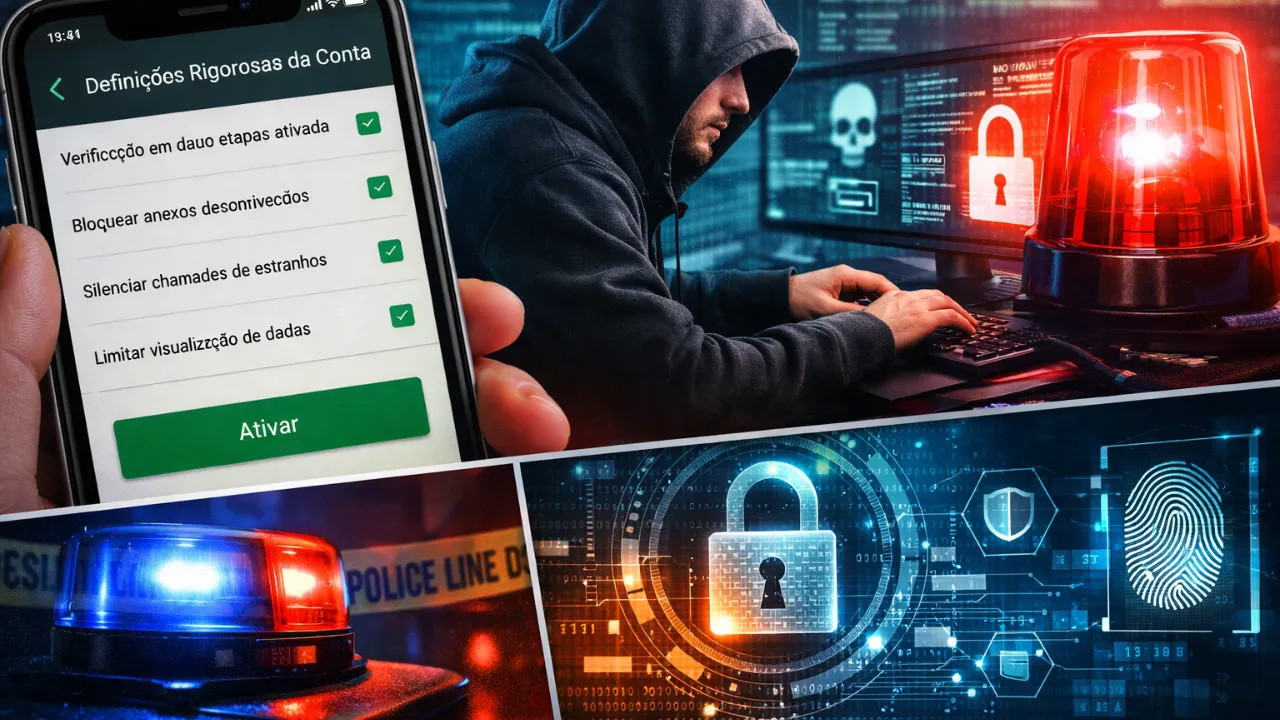
Advanced Security Mode Redefines Privacy Standards in the App, Reduces Attack Surface Explored by Hackers, Strengthens Authentication, Restricts External Interactions and Imposes Stringent Controls on Data Exposure and Sensitive Communications.
WhatsApp has begun offering an optional security setting aimed at accounts that are at higher risk of sophisticated digital attacks. The feature, known as Strict Account Settings, represents an additional layer of protection that transforms the app into a significantly more closed and resilient environment against common intrusion vectors.
Inspired by system hardening models similar to Apple’s Lockdown Mode and Facebook’s Advanced Protection, the new approach adopts the principle of reducing the attack surface — a central concept in cybersecurity.
The logic is simple: the fewer doors are open, the fewer possibilities for exploitation.
-
350-year mystery may have been solved: remains of a soldier who inspired the hero of The Three Musketeers found beneath a church in the Netherlands.

-
NASA photographed a nearly perfect square with 3 km sides on Mars, 13 times larger than the Great Pyramid of Giza, but the official explanation is natural erosion; still, no one has explained why the four sides have almost identical lengths.

-
Starlink breaks the barrier of 10,000 satellites in orbit and takes its expansion to an unprecedented level, with a direct impact on global internet, technological competition, and the race for space.

-
Japan finds an alternative to oil amid rising prices by transforming ocean balance into electricity with a new technology that maintains efficiency even when the sea changes.


What Technically Changes When Enabling Strict Account Settings
When the ultra-restrictive mode is activated in WhatsApp, the user changes the default behavior of multiple subsystems of the app. It is not just about “activating a PIN,” but rather a coordinated set of hardening measures.
1. Mandatory Two-Step Verification
The system enforces two-step verification activation with a six-digit PIN.
This drastically reduces the risk of:
- Account hijacking via SIM swap
- Social engineering attacks
- Automated attempts of unauthorized reactivation
Even if an attacker manages to intercept the verification SMS, the additional PIN prevents access.
2. Automatic Notifications of Security Code Change
WhatsApp uses end-to-end encryption.
When a contact’s security code changes, it may indicate:
- Legitimate device change
- App reinstallation
- Attempted interception
With the mode active, alerts become standard, reducing the risk of silent man-in-the-middle attacks.
3. Blocking Attachments and Media from Unknowns
Multimedia files are recurring vectors for exploiting vulnerabilities.
The restrictive mode:
- Prevents automatic download of media from unknown senders
- Blocks suspicious attachments
- Reduces the risk of exploitation via manipulated files
This measure is especially relevant against spyware and zero-click exploits.
4. Control of Large Volume Messages
Coordinated attacks often use mass messaging to:
- Force social engineering
- Create distraction
- Induce malicious clicks
The new setting limits this behavior when coming from unknown accounts.
5. Silencing Calls from Unknown Numbers
VoIP calls can expose metadata and open attack vectors.
With the feature activated:
- Calls from unknown numbers are silenced
- Attempts to exploit via call are reduced
- Unexpected interactions are filtered
6. Advanced Restriction of Data Visibility
Access to the following information becomes restricted:
- Profile photo
- Online status
- “About” section
- Group inclusion
Only known contacts or previously authorized lists can view or interact at these levels.
This reduces:
- Prior recognition for targeted scams
- Data collection for social engineering
- Mapping of digital routine
Strategic Benefits of Activation
Activating ultra-restrictive mode in WhatsApp is not just a measure of “extra security.” It represents:
- Active reduction of the attack surface
- Shielding against targeted social engineering
- Mitigation of media-based attacks
- Lower exposure of metadata
- Strict control over external interactions
For journalists, public figures, executives, and professionals dealing with sensitive information, activation is highly recommended.
Detailed Step-by-Step to Activate Strict Account Settings
Carefully follow the process below:
- Open WhatsApp on your smartphone
- Tap the vertical three-dot icon in the upper right corner
- Access Settings
- Select Privacy
- Scroll down to Advanced
- Tap on Strict Account Settings
- Tap Next
- Set a six-digit PIN
- Confirm the PIN
- Tap Activate
After activation, restrictions go into effect immediately.
Who Should Activate This Mode?
WhatsApp recommends the feature primarily for users who:
- May be targeted by digital espionage
- Work with sensitive data
- Are public figures
- Operate in politically or corporately risky environments
Common users can also activate it but should be aware that the experience becomes more restrictive.
The new ultra-restrictive feature of WhatsApp represents a significant advancement in protection against sophisticated attacks. By combining reinforced verification, blocking of suspicious media, controlling interactions, and limiting data exposure, the app operates under a proactive security logic.
In a landscape of increasing threats, waiting to react may be too late.
If there is any possibility of your account becoming a target, activating this shielding is a strategic — and preventive — decision.







Seja o primeiro a reagir!