





 Portuguese
  English
  Spanish
  4 min of reading
  0 comments


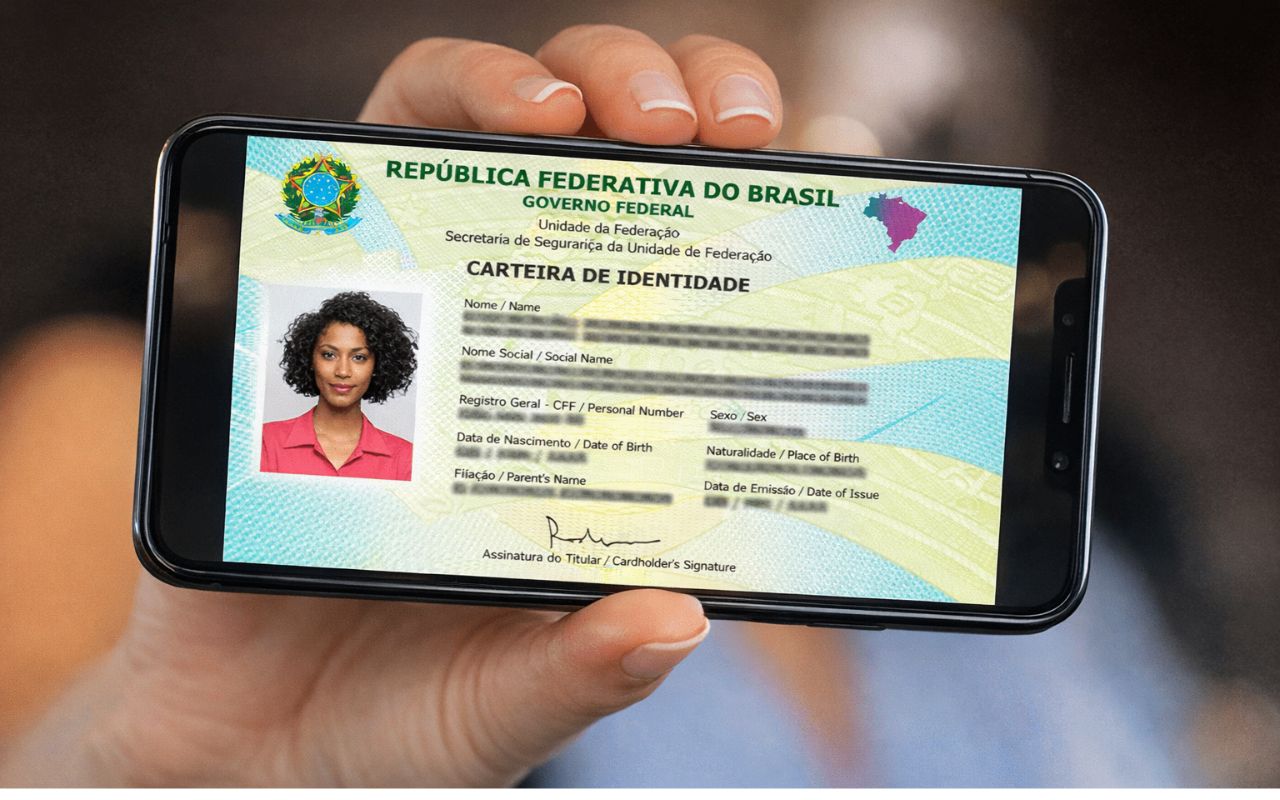
Download the New Digital ID on the Gov.br App! See the Requirements, How to Activate the CIN on Your Phone, and Access Your Official Identification Quickly and Safely.
The new digital ID, also known as National Identity Card (CIN), allows citizens to access an official document on their phone with the same validity as the physical document throughout Brazil. Available on the gov.br app, the new digital ID combines CPF and identity into a single number, featuring a QR code for data verification.
The new feature aims to simplify access to services and modernize the way Brazilians present their identity.
What Is the New Digital ID?
The National Identity Card (CIN) gradually replaces the old ID and standardizes the document throughout the national territory.
-
The noise law will no longer be in effect at 10 PM starting in June with a new rule valid during the 2026 World Cup.

-
The Chamber opens a debate on driver’s licenses at 16 years old as part of a reform that includes around 270 proposals to change the Brazilian Traffic Code and may redesign rules for licensing, enforcement, and circulation in the country.

-
The new Civil Code could revolutionize marriages in Brazil with “express divorce” and changes that could exclude spouses from inheritance.
-
Banco do Brasil sues famous influencer for million-dollar debt and intensifies debate on delinquency, risks of seizure, and direct impact on Gkay’s credibility.


The main innovation is that the CPF acts as a unique identification number. Additionally, the digital model provides extra security through a QR code and machine-readable zone.
The document can be presented in physical form (paper or card) or digital, within the gov.br app.

Who Can Access the New Digital ID?
To use the new digital ID, you must have the physical CIN issued by a state identification institute or the Federal District.
The physical document needs to be registered in the federal system for the digital version to be released. Seniors and low-income individuals, in some states, can request a second copy for free, facilitating access to the new format.
What You Need Before Downloading the New Digital ID
Before adding the new digital ID to your phone, it is necessary to complete certain steps to ensure that the document works correctly in the gov.br app.
First, you must have the physical CIN issued by your state’s identification authority or the Federal District, as the digital version is only released after the physical document is registered in the federal system.
Additionally, you must have an active account on gov.br, using your CPF and registered password, and reach the silver or gold security level, obtained through biometric validation, authorized banks, or reading the CIN itself.
Finally, it is important to wait for data integration, as the submission of information batches by the state identification institute may take a few days.
Only after this step will the document appear in the app’s document wallet.
How to Download the New Digital ID on Your Phone — Simple Step-by-Step
Start by installing the gov.br app from your phone’s app store (Google Play or App Store) and log in with your CPF and password; if you do not have an account yet, follow the registration procedure in the app itself.
Next, check if your account has reached the silver or gold security level, necessary to unlock the Document Wallet; this seal is obtained through biometric validation, confirmation by authorized banks, or reading the CIN itself.
With your account ready, open the app and tap on “Document Wallet”, the space where digital documents such as CNH are stored, and, when available, the National Identity Card (CIN).
Inside the wallet, tap the “+” button to add a new document, choose “Identity Card” or “CIN”, and wait for the system to retrieve your data from the federal database.
If your physical CIN has already been issued and sent by the state’s identification institute, the digital version will appear automatically; confirm the displayed information (photo, name, and issuance data) to ensure that everything is correct.
If the document does not appear immediately, pay attention: the time frame depends on the submission of the batch by the issuing authority — so, wait a few days before seeking support.
After inclusion, you will be able to present the new digital ID in services that require photo identification; and to verify authenticity, agencies and companies can read the QR code using the “National Identity Card” app available in the stores.
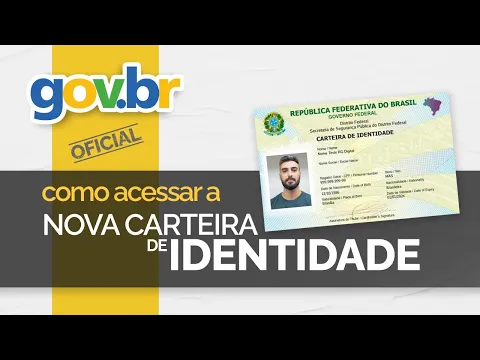

How to Use and Validate the New Digital ID?
Once included in the app, the new digital ID can be used for identification in domestic travel, public services, banking institutions, and other agencies that require official photo identification.
To verify authenticity, the QR code of the document can be validated by the official “National Identity Card” app, available in app stores.
The federal government emphasizes that the old ID and the CNH remain valid, but the CIN tends to consolidate all information into a single model, making it easier to access and validate data.
Legal Validity and Security of the Document
Both the physical and digital versions of the new digital ID have the same legal validity.
It is essential to keep the data updated to avoid problems during travel or official appointments.
The digital model offers convenience and security, representing an important step in the modernization of identity documents in Brazil.
With information from ND Mais.








-

-

-

-

-

-

164 pessoas reagiram a isso.