





 Portuguese
  English
  Spanish
  6 min of reading
  0 comments



Discover Little-Known Features of WhatsApp That Can Make Your Daily Life Easier and Improve Your Privacy and Organization
The WhatsApp is much more than a simple messenger.
With several hidden features, it can make your routine easier, enhance your privacy, and organize your conversations, according to the website olhardigital.
Make the most of your smartphone technology by learning these 10 tricks that can transform your experience on WhatsApp.
-
He started running at 66 years old, broke records at 82, and is now a subject of study for having a metabolic age comparable to that of a 20-year-old, in a case that is intriguing scientists and inspiring the world.

-
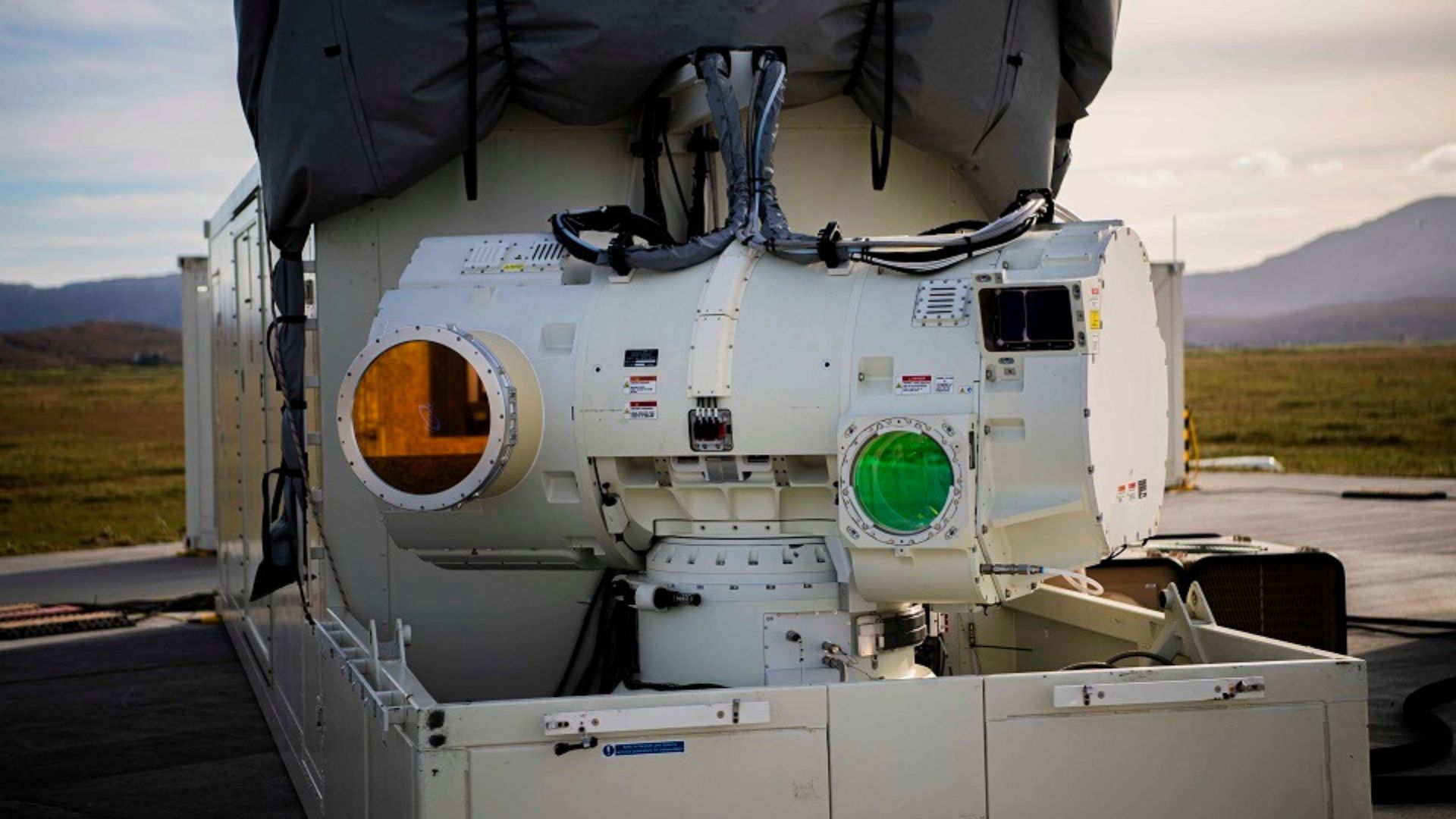
With a cost per shot close to zero, the DragonFire laser could change naval warfare in 2027 and provide British ships with nearly unlimited defense against drones.
-
A British startup creates tires that generate electricity in electric vehicles when passing over potholes, speed bumps, and cracks.

-
Oldest tree on the planet reappears after 130 years of searches: Wattieza, 385 million years old, was 10 meters tall and had no leaves or seeds; Gilboa fossils in New York solved the mystery in 2007.


1. Protect Your WhatsApp With Additional Security
One of the most effective ways to protect your WhatsApp is to use a password and biometrics (fingerprint or facial recognition).
To activate this feature, go to Settings > Privacy > App Lock. You can choose whether the lock will be immediate or after a certain period.
This way, you ensure that only you have access to the app, even if the phone is unlocked.
This additional layer of security is especially important today, where privacy is a growing concern.
Have you ever stopped to think about how much personal information is shared daily?
Protecting your WhatsApp is an essential step toward keeping your data safe and private.
2. Audio Transcription to Facilitate Communication
If you received an audio message and cannot listen to it at the moment, use the voice message transcription feature.
This option appears just below the audio, and by clicking it, the artificial intelligence of WhatsApp converts the message into text.
This feature is extremely useful for those moments when you are without headphones or in a noisy environment.
Imagine being in a meeting or in a public place and receiving an important audio.
Instead of straining to listen, you can simply read the text of the message.
This not only facilitates communication but also allows you to avoid missing important information.
Have you used this function before?
What was your experience?
3. Add Your Instagram Profile to WhatsApp
Did you know you can include a link to your Instagram profile in the “About” section of WhatsApp?
This option is useful for business contacts and can help in creating a networking network.
It’s worth noting that this feature is still in testing and may not be available to all users.
Adding your social networks on WhatsApp can be an effective way to expand your online presence.
This is especially valuable if you are a freelancer or have a small business.
By making your Instagram profile easily accessible, you can attract more followers and potential clients.
How about trying this function and seeing how it can benefit you?
4. Create Polls to Facilitate Group Decisions
Another interesting function of WhatsApp is the ability to create polls in groups.
This can assist in making collective decisions, such as choosing a time for a meeting or deciding on a theme.
To create a poll, open the group chat, tap the clip icon (attachments), and select “Poll.”
Enter the question and the answer options, allowing group members to vote and track results in real-time.
This feature is particularly useful for groups of friends or family members who frequently plan events together.
By using polls, you minimize discussions about times and places, making organizing meetings much more efficient.
Have you ever participated in a WhatsApp poll?
What was that experience like?
5. Protect Specific Conversations With Lock
The ability to lock chats on WhatsApp allows you to protect specific chats with a password, fingerprint, or facial recognition.
This way, you ensure greater privacy for important conversations.
To enable it, open the app, go to the chat you want to protect, tap the name of the contact or group, and select “Lock Chat” or “Archive with Lock,” depending on the app version.
This feature is especially valuable for those who share their phone with others or want to keep sensitive conversations confidential.
The additional protection can help prevent personal or confidential information from being accessed by third parties.
Would you like to have more control over your conversations on WhatsApp?
6. Find Nearby Businesses Through the App
With WhatsApp, you can search for nearby businesses directly in the app.
In the chat tab, tap the three dots in the upper corner of the screen and click on “Find Nearby Businesses.”
This will display a list of establishments registered in your area, making it easier to contact local services, such as restaurants and markets.
This function is especially practical for those in a new city or looking to explore new services in their area. By using WhatsApp to discover businesses, you can save time and find exactly what you need, quickly and conveniently.
Have you used this function to find a local service?
What was your experience?
7. Create Events to Organize Appointments
WhatsApp now allows you to create events directly in chats and groups. To do this, open the desired group, tap the clip icon (attachments), and select “Event.”
Fill in the information, such as name, date, time, and description.
Participants will receive notifications and can confirm attendance, making appointment organization much more practical.
This feature is great for coordinating meetings or events with multiple people.
By centralizing all information in one place, you avoid confusion and ensure that everyone is on the same page.
Have you ever organized an event via WhatsApp?
Share your experiences!
8. Share Your Contact Quickly With QR Code
The app generates a unique QR code for your number.
In the WhatsApp settings, tap the QR code icon next to your name and share it with anyone you want.
This makes it easy to add your contact without the need to manually type the number, being an excellent option for business cards and professional presentations.
This function is particularly useful at networking events, where you can quickly share your contact information with new colleagues.
Additionally, it avoids typing errors that can occur when entering numbers manually.
Have you used QR codes to share your contacts? What was that experience like?
9. Create and Customize Your Avatar
You can create a customized avatar on WhatsApp, similar to an emoji, which can be used as a profile picture or stickers.
To do this, access the settings, choose “Avatar,” and follow the customization steps.
This option allows you to express yourself in a fun and unique way.
Customizing your avatar can help create a stronger visual identity within the app.
Moreover, using an avatar can be a fun way to communicate with friends and family, especially in more informal conversations.
Have you ever had fun creating or using avatars in other apps? How do you think this could enrich your interactions on WhatsApp?
10. Organize Your Contacts in Custom Lists
WhatsApp also allows you to create lists to organize groups of friends, work, and family.
Access the settings menu and go to the “Lists” option. There, you can create new lists, edit existing ones, and group contacts efficiently, facilitating communication.
This functionality is extremely useful for those with many contacts who wish to maintain organization.
By separating your contacts into lists, it becomes easier to find the right people when you need them.
Have you ever thought about how organizing your contacts can improve your experience in the app?
These hidden tricks in WhatsApp can transform your experience with the app, making your routine more practical and organized. Did you already know any of these functions?
Which ones do you intend to use from now on? Share your thoughts in the comments!






-

-

-

-

-

29 pessoas reagiram a isso.