





 Portuguese
  English
  Spanish
  3 min of reading
  0 comments


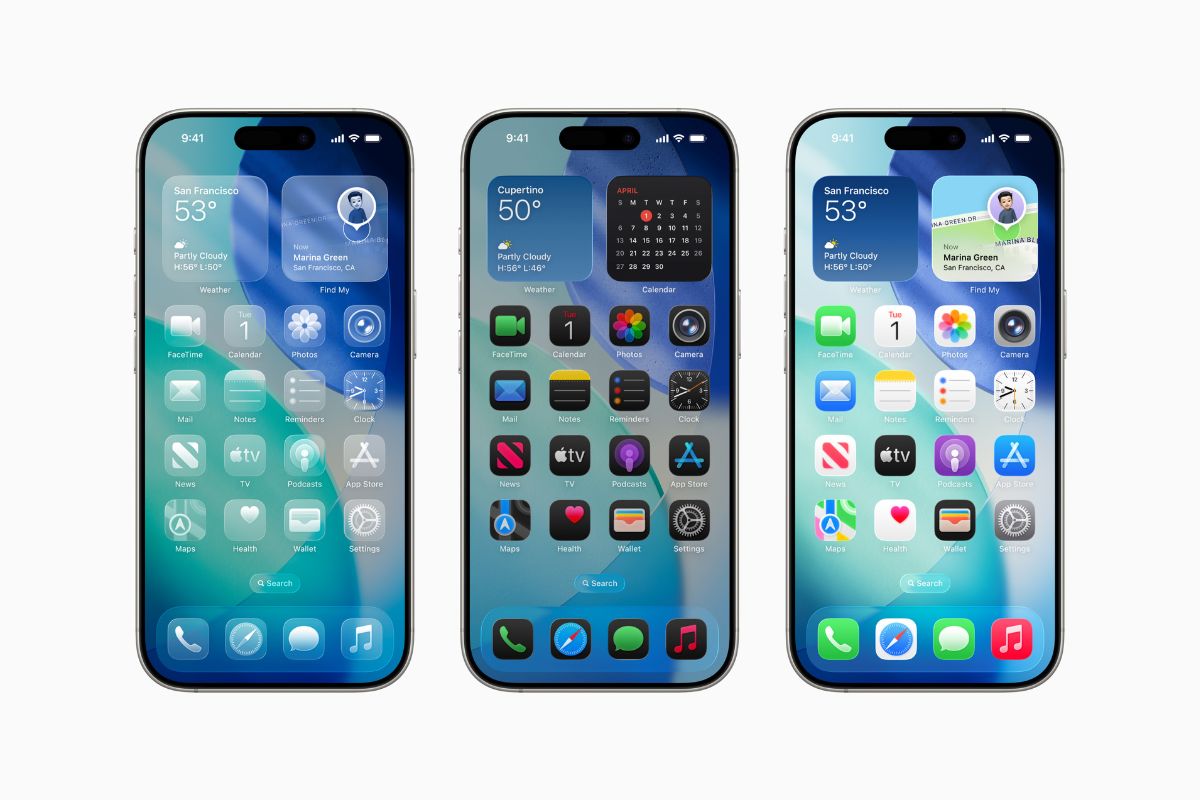
Released Public Beta of iOS 26 for iPhone, iPad, and Other Devices. Learn How to Install Safely and What Changes with the New Version.
Apple has released this week the first public beta versions of iOS 26, iPadOS 26, macOS Tahoe 26, watchOS 26, tvOS 26, and HomePod software 26.
The announcement was made last Tuesday (23), granting access to all users registered in the Apple Beta Software Program.
The release comes after the same versions were launched for developers, now extended to the general public who wants to test the news on iPhone, iPad, and other brand devices.
-
They were brilliant! Scientists discover that our ancestors in China were already making super advanced tools 160,000 years ago, changing everything we knew.

-
Scientists unveil 3 million years of climate secrets hidden in the ice of Antarctica.

-
Ancient farmers created “aggressive plants” that changed nature forever.

-
Astronomers find a “backward” solar system that ignores all the rules of space and leaves scientists scratching their heads!


The betas also include a new firmware for the AirPods Pro 2 and the upcoming AirPods 4, promising new features that will arrive with the final versions of the systems.
Despite the excitement, Apple maintains the warning: these are test versions and therefore should be installed with caution, especially on primary use devices.
Who Can Install the iOS 26 Beta on iPhone?
Any user with a compatible device and a free account in the Apple Beta Software Program can participate in the testing.
The process is simple: just visit the official program website using the iPhone, iPad, or Mac where the version will be installed and follow the provided instructions.
It is important to highlight that it is not necessary to be enrolled in the Apple Developer Program — a platform aimed at developers — to experience the beta versions. Apple has been offering betas for free to all interested for several years.
Compatibility with Apple Devices
Before installing any beta, the user must check if their device is compatible with the new systems.
Devices that support iOS 26 include recent models of iPhone, while iPadOS 26, macOS Tahoe 26, watchOS 26, and tvOS 26 require updated versions of their respective devices.
The recommendation is that betas should be installed only on secondary devices. Although the public version is more stable than the initial developer betas, it can still exhibit errors, crashes, or unexpected behaviors.
Backup: Essential Step Before Installation
Before any update, especially a beta version, it is crucial to perform a complete backup.
This ensures the safety of the data in case something goes wrong during the installation process or if the user decides to revert to the previous version.
The backup can be done via the iPhone or iPad itself, or by using a Mac or PC. If preferred, it is possible to encrypt the backup to include sensitive data such as passwords, health information, and iCloud keys.
How to Install iOS 26 Beta and Other Systems
With the compatible device and backup done, the next step is to access the Apple Beta Software Program website directly from the device.
Once logged in, the user must download the configuration profile and restart the device to complete the process.
In the case of the Apple Watch, the installation of the beta version of watchOS 26 must be done through the paired iPhone.
However, attention: there is no way to revert to a previous version of the system on the watch, which means that you will need to stay on the beta until the final version is released.
Expected New Features for Apple Systems
Although the beta versions are still in the early phase, it is expected that the new versions of iOS and other systems will bring performance improvements, visual tweaks, and new integration features between brand devices.
The AirPods Pro 2 and AirPods 4, for example, are also expected to receive new functionalities with the new firmware, reinforcing Apple’s investment in a more intelligent and fluid ecosystem.
iOS 26 Beta
Even with easier access and the anticipation surrounding the new features, Apple emphasizes that the beta versions of iOS 26 and other systems are intended for testing. Installing these systems on primary devices can lead to issues that affect daily use.
For the more curious and enthusiastic, however, this is an opportunity to preview features that should officially arrive in the coming months — and still provide feedback that helps improve the final product.









-

-

2 pessoas reagiram a isso.