



 Portuguese
  Spanish


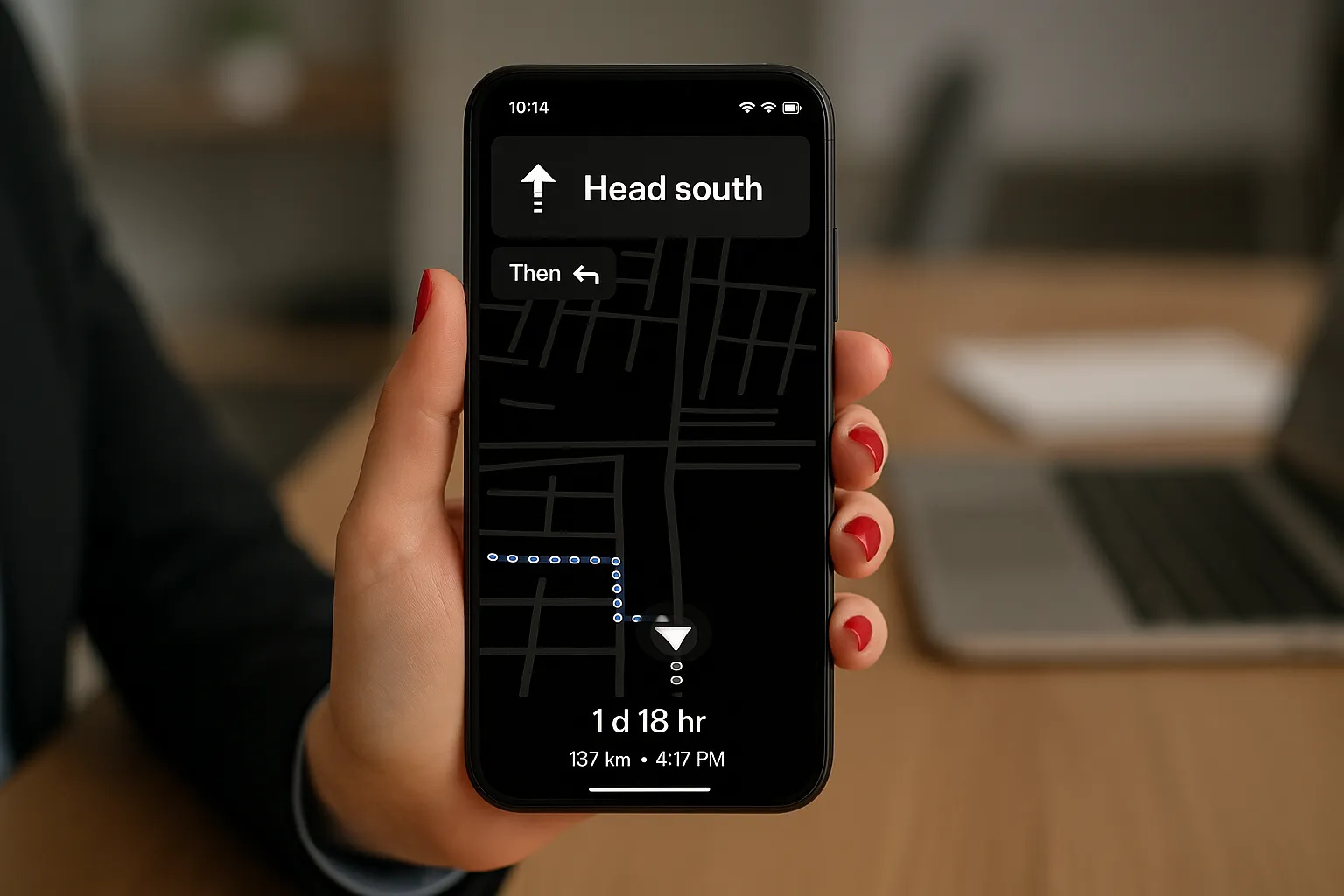

When the smartphone’s battery level starts to drop during a driving route, anxiety rises: “What if the GPS shuts down now?”. This is exactly the pain that the next feature of Google Maps seems to want to mitigate. The tech giant is testing an energy-saving mode focused on directional navigation — ideal for those driving and fearing their smartphone will die before reaching their destination.
Why This Mode Is Crucial for Google Maps Usability
Using navigation apps drains battery quickly: the GPS remains active, the screen stays on, data connectivity runs continuously, and map graphics are updated in real time. According to Android Authority, Google Maps can easily become one of the biggest battery suckers during a prolonged trip. Additionally, traditional energy-saving modes on smartphones often disable location features or reduce performance, compromising navigation.
That’s why the company’s proposal is simple and logical: reduce consumption exactly at the most critical moment — when the battery is low — to ensure that the user arrives at their destination without setbacks.
-
Artist’s 15-Meter Lighthouse in the Mojave Desert, 160 km from the Sea, Intrigues Visitors with 19 km Range After Years of Bureaucracy

-
Bluetti AC70 Solar-Powered Station: Powers Fridge and Wi-Fi During Blackouts, Delivers 1,000W, 3,000 Charge Cycles, Priced at $900

-
Enormous Black Hole Phoenix A* Challenges Scientific Understanding with Mass of 100 Billion Suns, Surpassing Famous TON 618 in One of the Largest Known Galaxy Clusters
-
Say Goodbye to Storing Wine in a Regular Fridge: Midea’s Climate-Controlled Cellar Holds 34 Bottles, Maintains 5-18°C, and Uses Only Half a kWh Daily


How It Will Work
According to Android Authority, the new mode can be activated by pressing the smartphone’s power button while the user is driving. The interface will change completely: colors will be removed, visual elements will be simplified, and the map may turn shades of gray. Only essential information, like the next turn or street name, will remain visible.
The proposal is similar to the ultra power-saving modes of some operating systems, prioritizing only what is essential. Additionally, Android Insights highlighted that the mode would require the device to be in vertical orientation, with no support for landscape mode. Public transportation may also not be compatible, as the minimalist system would not display line numbers.
Google is still evaluating whether the mode will be activated manually or automatically when the battery reaches a critical level. There is also the possibility of completely hiding the map, leaving only voice instructions to conserve even more energy.
Limitations and Possible Challenges
Since the feature is still in testing and has not been officially announced, it is important to remember that it may change before launch or even be canceled.
Among the limitations already pointed out are the lack of visual details, the blocking of landscape mode, and the restriction of usage on complex routes. On the other hand, experts emphasize that the idea makes sense because the focus is to allow users to reach their destination with minimal consumption.
The Impact for the User
For Brazilian drivers who rely on GPS daily, the new mode could be a valuable aid. Imagine being on a long trip at the end of the day, with only 5% battery left — and still far from a charger. This feature could make the difference between arriving at your destination or getting lost along the way.
According to 9to5Google, Google plans to implement improvements in energy management for Maps in parallel with this mode, also optimizing GPS and mobile data usage. The goal is to reduce total consumption by up to 30% during long trips.
Even though the mode is not yet available, there are already good practices to save energy: downloading maps for offline use, activating dark mode, reducing screen brightness, and closing other resource-consuming apps.
A Change That Makes Sense
Google Maps is adapting to a reality where the constant use of smartphones requires energy intelligence. Simplified navigation, with fewer colors and a focus on essentials, may seem like a visual regression, but it represents a significant practical advance.
In summary, the new energy-saving mode promises to reduce the device’s consumption while keeping navigation active, something that can literally save navigation when the battery is about to die. Even with limitations, this feature demonstrates the company’s concern for the real user experience — and reinforces the importance of thinking about efficiency when every minute of battery counts.