Portuguese
  Spanish



Gmail, the world’s most popular email service with over 2.5 billion active users on Android and iOS platforms, has just announced a new feature that promises to make users’ lives easier.
According to Forbes, since last week, Google has started rolling out the so-called “summary cards”, a dynamic feature that organizes and displays relevant information directly in the inbox, making the Gmail experience even more efficient.
However, while the new feature offers convenience, the issue of security against cyberattacks is already raising discussions among experts.
-
Nigeria Dumps 120 Million Tons of Sand into Atlantic to Build Massive City with 8.4 km Sea Wall for Protection Against Ocean Waves and Erosion

-
German Engineer Developed Diesel Engine Running on Vegetable Oil Decades Before Electric Cars Became Popular; Can This Forgotten Idea Work in 2026?

-
James Webb Telescope Uncovers Unexpected Clues on Mysterious Moon, Potentially Redefining Planetary Origins

-
$1.5 Billion Sleipnir Vessel Transforms Ocean into Floating Construction Site with 12 Hybrid Engines and Capacity to Lift 20,000 Tons



What Are Summary Cards and How Do They Work?
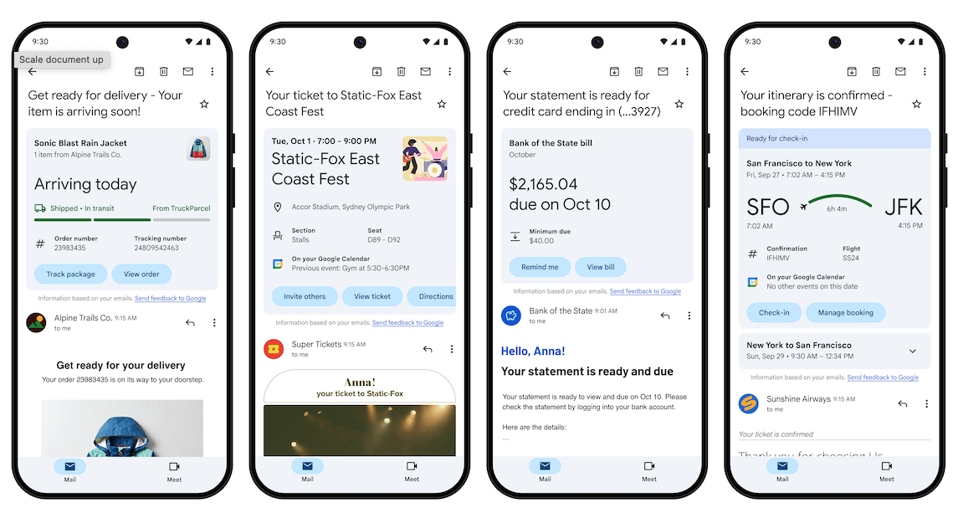
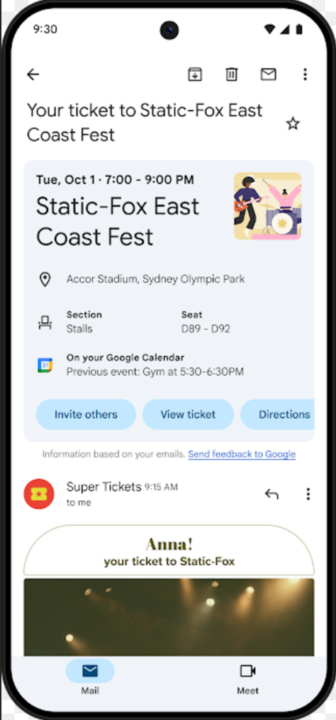
The feature announced by Google aims to improve the organization of information within Gmail. Summary cards display important email information in a visual and dynamic way, such as purchase details, bills to pay, reservations, and travel confirmations, making access to this data easier with just one click.
Google stated that this functionality will be rolled out gradually, initially available on Android, iPhone, and iPad.
According to the company, the feature will help users find crucial information at the moment it is needed, especially for tracking orders and receiving receipts, as well as visually organizing emails related to upcoming events through the new “happening soon” section.
The functionality will be expanded in the coming months, allowing users to take actions directly from the cards, such as inviting friends to events, setting up bill payment reminders, or even checking in for flights.
All of this can be done with a simple tap, eliminating the need to search for specific links in emails.
Security: The Critical Point of Summary Cards
While the introduction of summary cards brings a clear advantage in terms of usability and efficiency, the security of this new feature is being questioned.
With the popularization of this new form of interaction in Gmail, experts are raising concerns about the system’s vulnerability to phishing attacks, one of the most common forms of cybercrime, where users are tricked into clicking on malicious links.
Summary cards, by their dynamic and interactive nature, make it easier to click on links directly from the inbox, which could expose users to scams.
Google, in response to these concerns, assured that Gmail is protected by a robust security system powered by artificial intelligence, capable of blocking 99.9% of malicious emails.
However, the small percentage of 0.1% that still manages to evade this block represents a considerable risk, especially when analyzed on a global scale.
Gmail processes about 300 billion emails per day, which means that there is still a significant amount of potentially dangerous messages that may pass through the service’s security barriers.
Protections Against Phishing Attacks
In response to the security concerns raised, Google stated that summary cards have the same defenses applied to the rest of the Gmail platform. “Summary cards are protected with the same robust defenses that protect all of Gmail,” said a company spokesperson. “With AI-powered defenses, we prevent 99.9% of phishing, malware, and spam from reaching inboxes.”
Although this protection may seem satisfactory at first glance, Google emphasizes that users should follow best online security practices, such as verifying the sender before clicking on any link.
The company has also made available a series of educational resources on how to avoid scams and identify suspicious emails, especially in the context of phishing.
The Challenge of Digital Security
The big question, according to experts, is that summary cards make the act of clicking on links an even quicker and easier task for users.
The main security problem identified is that by reducing the need to search for links within emails and allowing actions to be performed directly from summary cards, the risk of phishing attacks increases significantly.
Phishing is widely recognized as the primary method used by hackers to compromise the security of email users.
In this type of attack, scammers deceive recipients into clicking on malicious links, which can lead to the theft of personal data, banking information, and even the compromise of entire systems.
In light of this, even with Gmail’s reinforced security system, it is crucial for users to remain vigilant and adopt preventive measures such as verifying the authenticity of senders and not clicking on suspicious links.
Google, for its part, continues to work on improving its defenses and educating users on how to keep their information protected.