






 Portuguese
  Spanish
  3 min of reading
  0 comments


Digital Wallets And Contactless Payment: Understand How To Make Payments Without Unlocking Your Phone
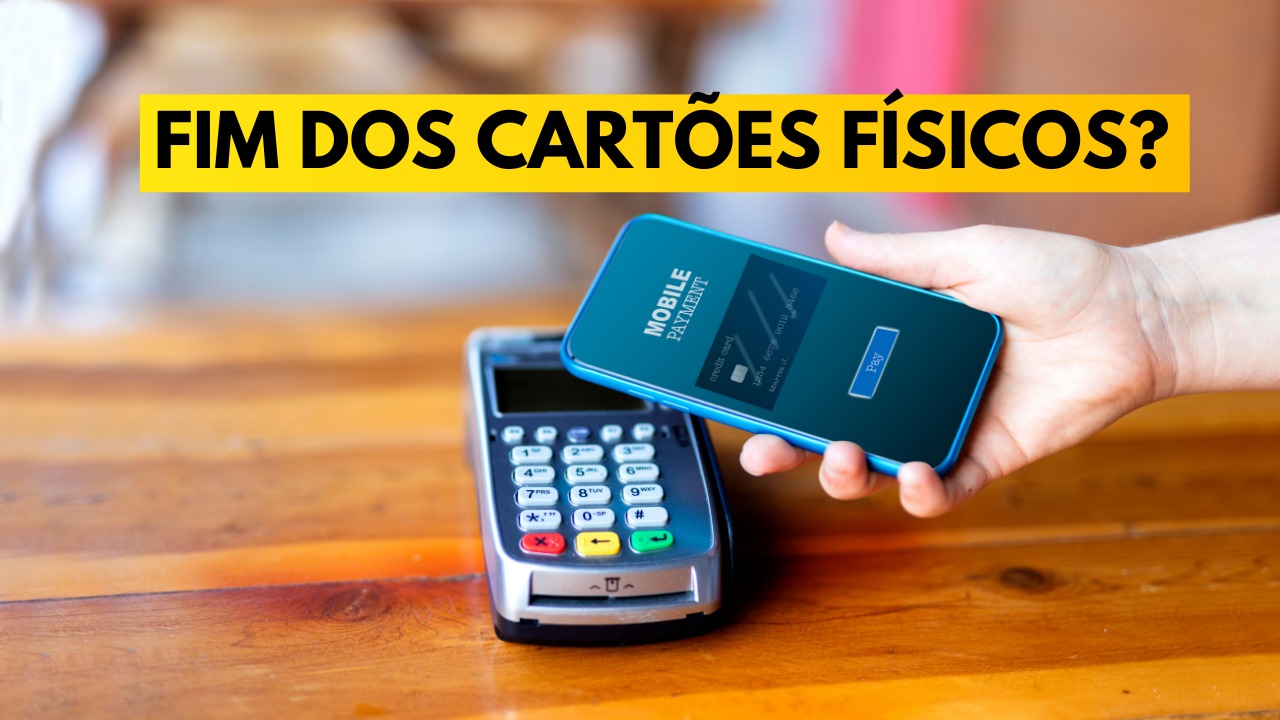
Digital wallets have become increasingly popular, offering a quick and secure way to make payments with your phone. One of the major advantages of these solutions is the ability to make contactless payments, even with the phone screen locked, enhancing convenience for users. However, it is important to understand how the authentication process works and the details of each platform to ensure a seamless and secure experience.
Apple Pay: Convenience And Security At Your Fingertips
In the case of the iPhone, Apple Pay offers a convenient way to pay without unlocking the screen. To activate the payment, simply press the side button twice while the phone is close to the terminal.
The user then authenticates the transaction with biometrics – either through fingerprint or facial recognition. This process allows the payment to be made quickly while keeping the phone protected.
-
Helicopter Drops 180 Tons of Sand and Gravel on Swedish River to Revive Ecosystem Damaged by Decades of Exploitation

-
Brazilian Company Launches Retro Smartphone with 48 MP Camera, T9 Keyboard, and Privacy Features for Social Media-Free Use

-
Self-Taught Chinese Farmer Builds 5-Ton Submarine from Scrap, Launches It in Anhui River
-
Invisible Induction Technology Enables Wireless Power for Blenders, Coffee Makers, and Air Fryers, Reducing Countertop Cables




Samsung Pay: Ease With A Locked Screen
Samsung Pay works similarly, allowing users to make payments without unlocking the phone screen, as long as they authenticate the transaction with biometrics. The platform provides a fast and secure experience, integrating contactless payment technology with the device’s security features.
Google Pay: Restrictions And Public Transport
Google Pay, on the other hand, has a different approach. While the platform works with the screen locked for payments on public transport in cities like Rio de Janeiro and São Paulo, it is necessary to unlock the screen to make payments for other types of purchases.
This differentiation is a characteristic of Google Pay, which offers a more restricted experience for payments outside of public transport, requiring an additional step to ensure security and transaction confirmation.
Payments With A Locked Phone: How Does It Work?
Some of the main digital wallets, such as Apple Pay and Samsung Pay, allow contactless payments with the phone locked, but require biometric authentication before completing the transaction. The contactless payment system, which allows purchases by bringing the phone close to the terminal, offers convenience without needing to unlock the device. However, to ensure security, users must authenticate through biometric methods, such as facial recognition or fingerprint, for each transaction.
Security And Convenience In Payments With Digital Wallets
Digital wallets like Apple Pay, Samsung Pay, and Google Pay offer consumers a practical way to make payments with their phones. Contactless payment technology has proven to be increasingly secure and efficient, allowing quick transactions, even with the phone locked.
However, biometric authentication, such as fingerprint or facial recognition, remains an important layer of security, ensuring that only the authorized user can make the purchase. By adopting these solutions, consumers not only enjoy the convenience of contactless payment but also benefit from a high level of protection for their financial transactions.





Be the first to react!