






 Portuguese
  Spanish
  3 min of reading
  0 comments


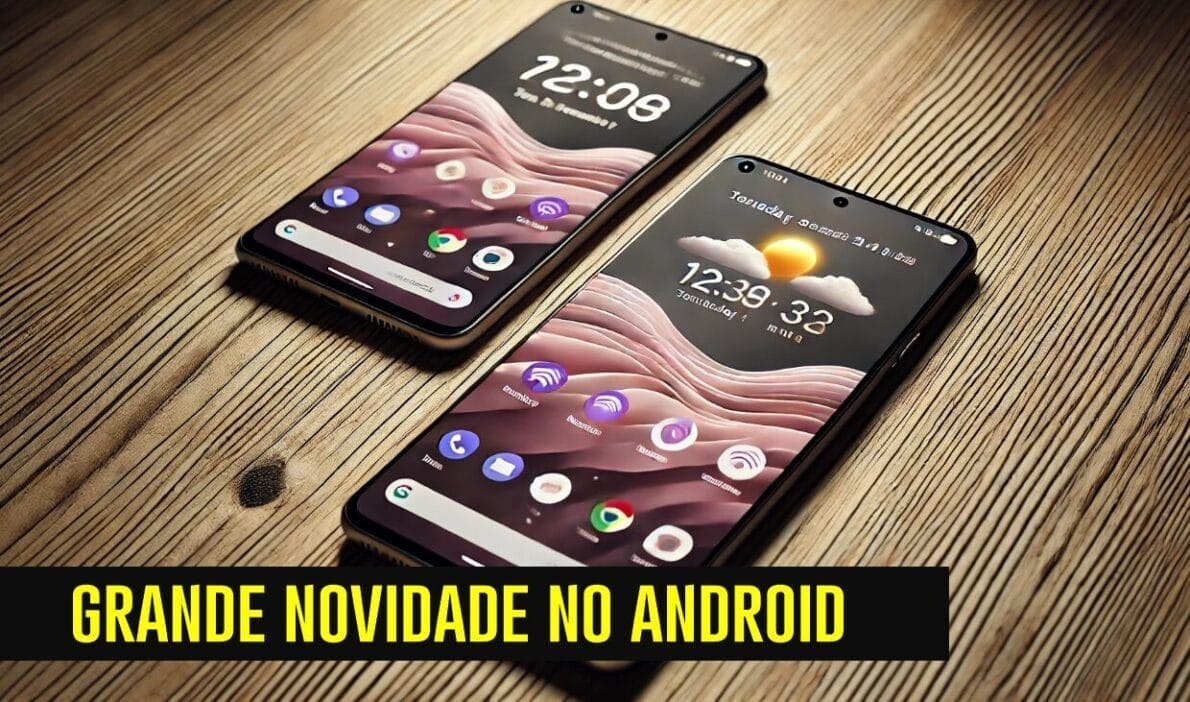
Google Is Developing An Advanced Continuous Notifications API For Android 16, Allowing Real-Time Updates Similar To The Live Activities Feature Of iOS.
Google Is Developing A New API Called “Advanced Continuous Notifications“, Which Could Change The Way Android Users Interact With Alerts And Real-Time Updates. Inspired By The “Live Activities” Feature Of iOS, This Technology Offers Dynamic Notifications Right On The Lock Screen, Eliminating The Need To Open Apps To Keep Up With Constant Updates.
The Arrival Of This Feature On Android 16 Promises A More Practical And Modern Notification Experience, Making Android Smartphones More Efficient In Delivering Real-Time Information.
What Are Continuous Notifications?
Continuous Notifications Function As An Alert Extension That Stays Active In The Status Bar Of The Device. They Do Not Disappear Immediately After Being Viewed, But Continue To Display Information That May Be Relevant Over An Extended Period.
-
Helicopter Drops 180 Tons of Sand and Gravel on Swedish River to Revive Ecosystem Damaged by Decades of Exploitation

-
Brazilian Company Launches Retro Smartphone with 48 MP Camera, T9 Keyboard, and Privacy Features for Social Media-Free Use

-
Self-Taught Chinese Farmer Builds 5-Ton Submarine from Scrap, Launches It in Anhui River
-
Invisible Induction Technology Enables Wireless Power for Blenders, Coffee Makers, and Air Fryers, Reducing Countertop Cables



In The Case Of Android 16, This Functionality Promises A Fresh And Customizable Look, With Distinct Icons And Colors For Each Notification.
Mishaal Rahman, A Contributor At Android Authority, Revealed That The API Can Already Be Found In Testing In The Code Of Android 15. This New Notification System Not Only Displays A Pill-Shaped Icon But Also Allows The Text And Background Color To Be Adapted According To The Needs Of The App Or Service Utilizing It.
Examples Of Uses For Continuous Notifications
Below Are Some Ways This API Could Be Applied On Android:
- Transportation Services (Uber, Taxis)
Imagine Requesting An Uber And Receiving Continuous Updates On Its Location, With Accurate Arrival Estimates Directly In The Android Status Bar. This Type Of Notification Could Allow The User To Track The Driver’s Movement Without Needing To Open The App. - Food Delivery
When Ordering Food Through Apps Like iFood Or Uber Eats, Delivery Updates Could Be Displayed In A Continuous Notification, Informing The Estimated Arrival Time Of The Order, Along With Route Data And The Deliverer’s Location. - Events And Timers
Timers, Sports Scores, And Countdown Timers Could Also Be Included As Continuous Notifications. This Feature Would Be Useful For Quickly Viewing The Remaining Time In A Countdown, Such As A Gym Timer Or The Validity Period Of A Paid Parking.
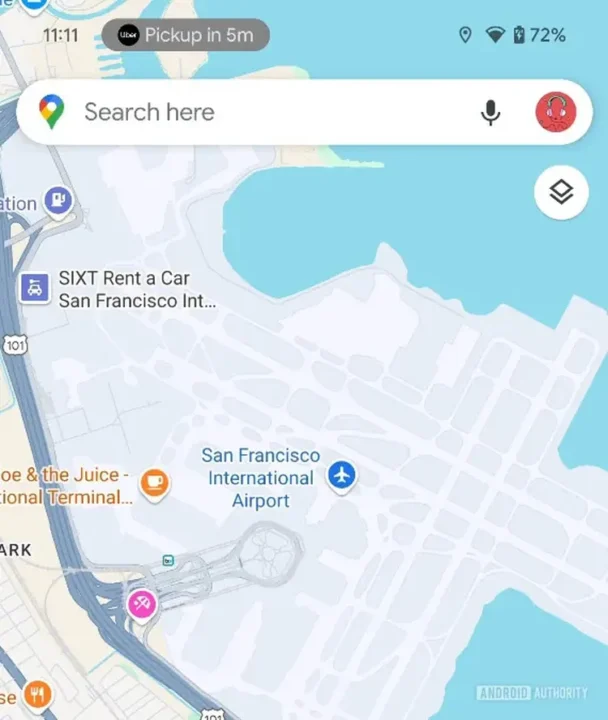
Screenshot: Mishaal Rahman /
Android Authority
Comparison With iOS Live Activities
The Introduction Of Continuous Notifications In Android 16 Is A Response To The “Live Activities” Feature Of iOS, A Tool In Apple’s System That Allows Live Information To Be Displayed Directly On The Lock Screen. For iPhone Users, Live Activities Show Information From Apps Like Uber, Timers, And Sports Scores At The Top Of The Screen, Including The Dynamic Island Feature On iPhone 14 Pro Models And Higher, Making The Feature Even More Accessible And Intuitive.
While Android Has Had Similar Features Since Android 12 (Such As Displaying Call Duration In The Status Bar), The New Continuous Notifications API Promises To Expand These Functionalities With Much More Options And Customizations.
Potential For Customization
Another Interesting Aspect Is The Ability To Customize Each Continuous Notification. Developers Will Be Able To Add Specific Colors, Logos, And Even Highlight Text, Allowing Users To Easily Differentiate Each Notification. This Opens Up Possibilities For Apps From Different Areas (Such As Health, Transport, And Entertainment) To Adapt Their Notifications To The Profiles And Needs Of Their Users, Making The System Even More Intuitive.
What Can We Expect From Android 16?
The Expectation Is That Android 16 Will Offer Developers And Users A New Layer Of Practicality And Connection. With Continuous Notifications, Users Will Be Able To Get The Information They Need With Just A Glance, Without Interruptions Or The Need To Open Apps Repeatedly.
This Feature, Which Is Currently A Highlight In iOS, Represents Google’s Ongoing Effort To Make The Android Experience More Competitive And Comprehensive. For Daily Android Users, This Could Represent Considerable Progress, As It Centralizes Essential Information And Increases Productivity.
With This New Functionality, Android Moves Closer To The Experience Provided By iOS, Offering Users The Option To Keep Track Of Their Appointments And Alerts In A Simplified Manner.





Be the first to react!