Portuguese
  Spanish


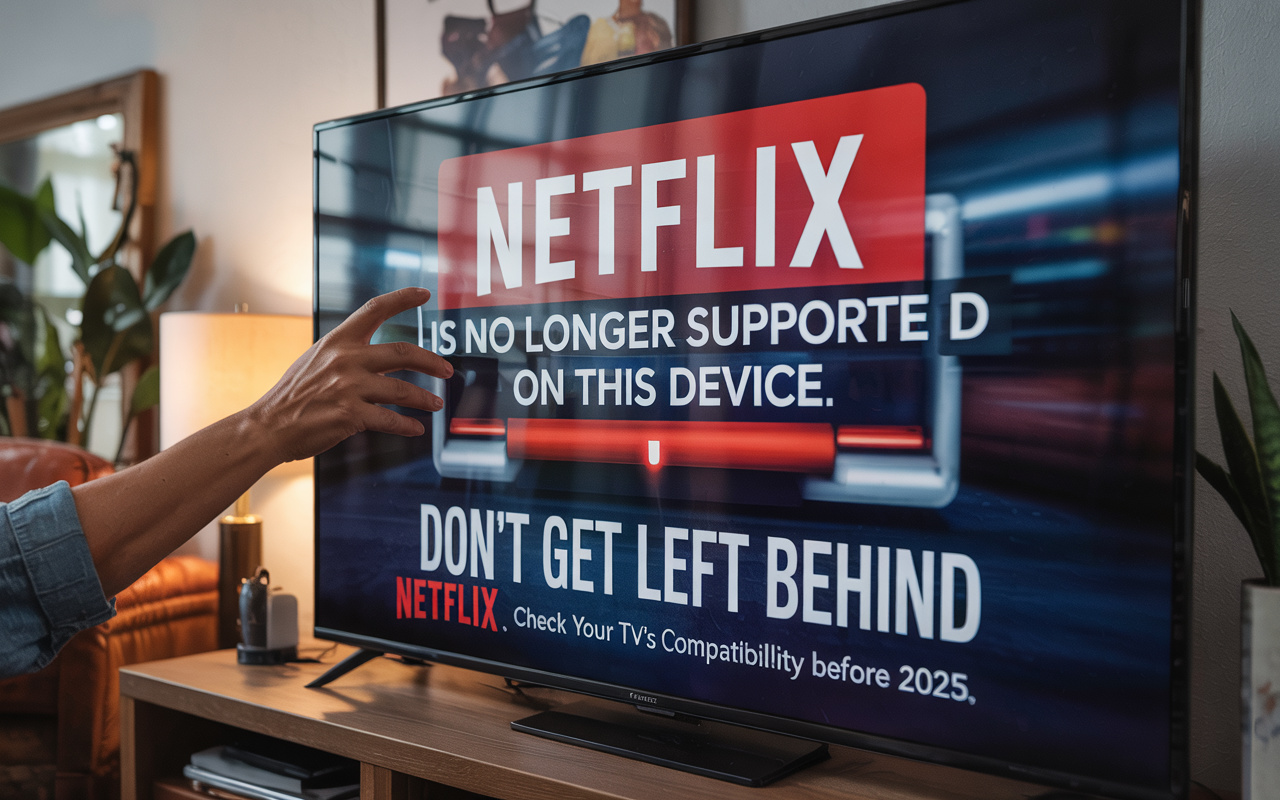

See Which TV Models Stopped Running Netflix Since June 2025. Understand Why Smart TVs Will Lose Access to the App, How to Identify an Old TV Without Netflix and Check Alternatives to Continue Watching Without Problems
Netflix, one of the largest streaming platforms in the world, announced that several older models of Smart TVs have already lost access to the app since June 2025. This decision affects millions of users who still use older televisions to watch their favorite series, movies, and documentaries.
With this change, many consumers are wondering if their TV is on the list of devices that will stop working with the Netflix app. In this article, you will find detailed information about which models will be affected, the reasons behind this decision, and the alternatives to continue watching without problems.
Netflix End of Support on Smart TV: Why Is This Happening?
The “Netflix end of support on Smart TV” occurs for technical and security reasons. The streaming platform is constantly updating its apps to improve the user experience, ensuring higher image quality, security, and new features. For this, it is necessary that the devices where the app is installed also support these updates.
-
Pennsylvania Mine Creates Ice in Summer Heat and Melts in Winter, Turning a Mountain Crevice into a Reverse Natural Refrigerator

-
China Accelerates Global Expansion of Robotics: From Smart Vacuums to Industrial and Humanoid Machines, Millions Exported to Over 150 Markets
-
Polar Air Mass to Hit Brazil: Temperatures to Plummet in Nine States, Near Freezing in the South with Frost Risk Until Monday
-
Chinese “dark factories” produce electric cars 24/7 with minimal human intervention, as Zeekr assembles 800 units daily, raising concerns in Brazil.





However, many older models of Smart TVs have outdated operating systems and no longer receive official updates from manufacturers.
This means they are unable to run the latest versions of the Netflix app, primarily because they do not support modern security protocols and current video codecs. Therefore, Netflix decided to end support for these devices starting in June 2025.
Impacts of Technological Obsolescence
Technological obsolescence is natural in any electronic market, and Smart TVs are no exception. When a device stops receiving updates, it becomes vulnerable to failures and incompatibilities. In the case of Netflix, this means that users with older TVs may start experiencing issues like freezing, inability to log into the app, or even the app completely ceasing to function.
Which Smart TVs Have Already Lost Access to Netflix in 2025?
There is no official list released by the company, but the impacted models primarily include devices manufactured between 2012 and 2016. Among the main affected brands and series are:
- Samsung: Smart TV models released between 2012 and 2015, especially those running older operating systems like early versions of Tizen or previous proprietary platforms.
- LG: TVs with webOS systems prior to 2016, which do not support the latest updates from Netflix.
- Sony: devices using old versions of Android TV or Linux-based proprietary systems released before 2016.
- Other Brands: some models from lesser-known manufacturers with proprietary systems will also be discontinued.
To be sure, it is essential for users to check the official Netflix website, which provides information about the devices that will lose support, or consult the manual and technical support of their TV brand.
Old TV Without Netflix: How to Identify if Your TV Is on the List
It’s not always easy to know if your TV is among those affected by the end of Netflix support. Some common signs are:
- The Netflix app no longer opens or frequently shows errors.
- Your Smart TV no longer receives software updates from the manufacturer.
- The TV’s operating system is outdated (e.g., versions of Tizen, webOS, or Android TV from 2012 to 2016).
- Incompatibility messages or instructions to update the device appear when trying to use the app.
If any of these points apply, it is likely that your old TV without Netflix is on the list of devices that will lose access to the service.
Smart TVs That Lost Access to Netflix: What to Do to Continue Watching?
The end of support may seem like a problem for many, but there are practical alternatives to continue using Netflix without having to replace your TV immediately.
Use External Streaming Devices
The most common and accessible solution is to acquire an external device, such as:
- Google Chromecast (with Google TV)
- Amazon Fire TV Stick
- Roku Streaming Stick
- Apple TV
These devices connect to the TV via HDMI and allow the use of the latest version of the Netflix app, as well as other streaming services. They are relatively inexpensive and ensure frequent updates, preventing future problems.
Connect a Computer or Notebook to the TV
Another option is to use a computer, notebook, or even a smartphone with HDMI output to connect to the TV. This way, you can access Netflix via the web version or app on these devices and mirror the content to the big screen.
Update Your Smart TV
Some manufacturers still offer updates for certain older models, although this practice is becoming increasingly rare. Check your TV’s settings menu to see if updates are available. If so, this may extend compatibility for some time.
Consider Replacing the TV
If your device is very old and does not support updates or external devices, it may be time to consider investing in a new Smart TV. Recent models offer better image quality, enhanced features, and guaranteed compatibility with the main apps.
How to Prepare for the End of Support: Practical Tips for Users
To avoid your streaming experience being affected starting June 2025, follow these recommendations:
- Check Information on Netflix’s Website: verify if your Smart TV is on the list of devices that will lose access to the app.
- Test the Netflix App on Your TV: check for errors, incompatibility messages, or issues when opening the application.
- Consider Acquiring an External Device: Chromecast, Fire Stick, and similar devices are practical and economical options.
- Seek Help from the Manufacturer: see if your TV still receives updates and technical support to ensure the app’s functionality.
- Plan to Replace Your TV if Necessary: TVs released from 2017 onwards typically offer greater longevity and better compatibility with apps.
Netflix End of Support on Smart TV: The Importance of Staying Informed
Staying updated on changes like this is crucial to avoid frustrations and interruptions in entertainment. With the rapid technological evolution, using outdated devices can limit access to essential content and features. Therefore, taking proactive measures and seeking appropriate solutions ensures a continuous, safe, and high-quality streaming experience.
The announcement of the end of support for Netflix on various older Smart TVs in 2025 represents an important moment for users to reflect on the technology they use at home. Although the change may cause initial discomfort, it is part of the natural process of evolution of digital services.
By informing yourself, checking your TV, and seeking alternatives, you ensure that you will continue enjoying the best Netflix content without interruptions. Whether by acquiring an external device or planning to replace your TV, the important thing is to act in advance to avoid being caught off guard when the app stops functioning.
Take this opportunity to renew your entertainment setup and enjoy Netflix with maximum quality and guaranteed safety.